
Version 1.17.0 updates the online course library, the course player, the final quiz and the completion screen.
Course library and resuming
- Search My Online Courses by course title or provider. Status filters show courses you haven’t started, courses in progress, completed courses or courses with expired access.
- The resume card shows progress, time remaining and the next lesson when available. Select Continue to reopen the course in progress.
- The Completed filter uses the course’s completion status. Completed course cards no longer show a progress bar.
Course player and outline
- The course player layout has changed on desktop and mobile. The outline shows progress and lets you open available lessons.
- On desktop, the outline collapses into a narrow sidebar to give the lesson more space.
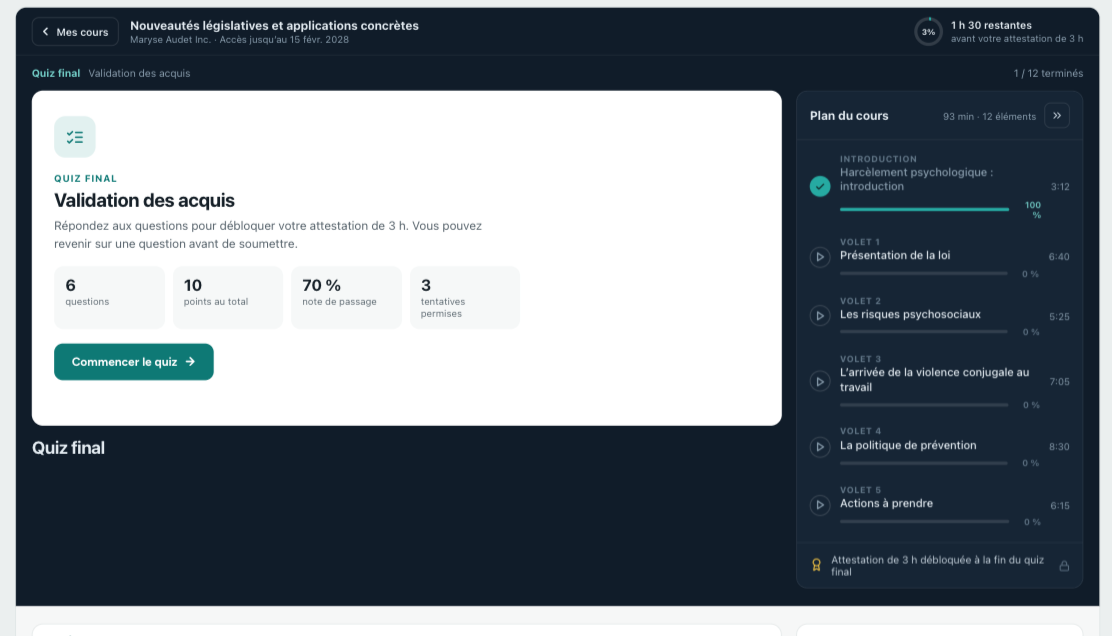
Final quiz and results
- The final quiz opens in the course player. The interface shows your progress through the questions and lets you return to an earlier question before submitting.
- Navigation from the results screen has been fixed. Returning to the course opens the next available activity or an available lesson.
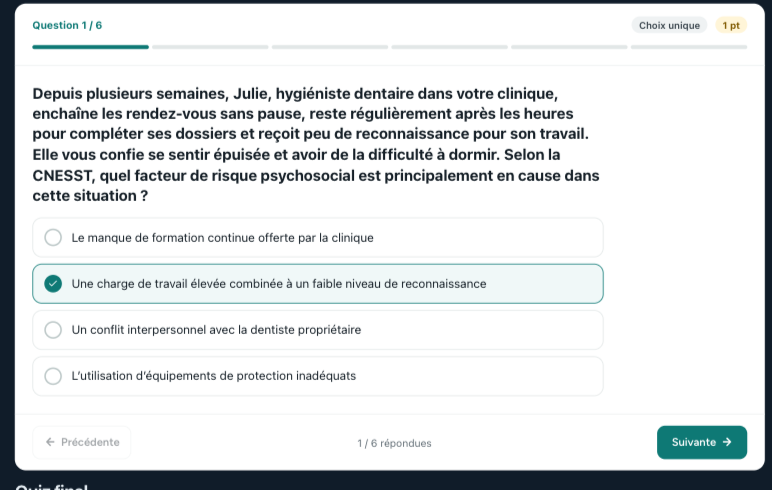
Course completion and certificates
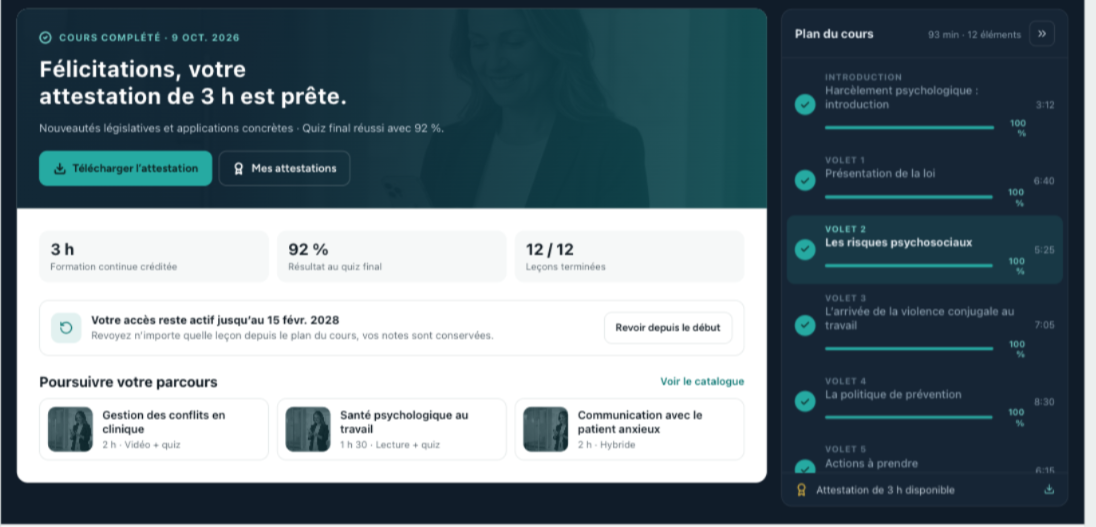
- The completion screen shows the number of completed lessons and the quiz result when applicable. If the course offers a certificate and you meet the requirements, you can download it from this screen.
- Suggestions show public courses available through Dentoflow that you don’t already have.
Courses you’ve enrolled in are available in My Online Courses for the duration of your access.